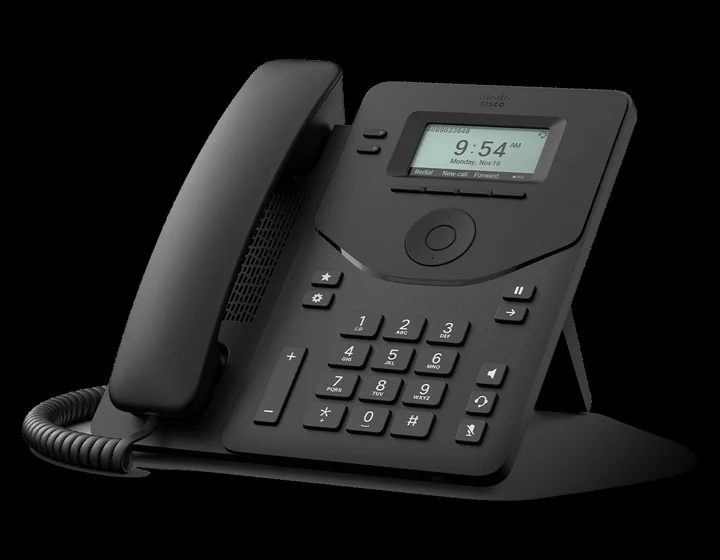
Cisco Desk Phone 9800 Range

The handsets people
notice on the desk.

Cisco’s 9800 series is the premium end of what we supply: better audio, better build, and models with Wi-Fi, Bluetooth or a touchscreen built in. If your desk phone is the one visitors see, or the one that has to work without a network cable, this is the range.

The range

Five models,
one family.

They share a chassis, a menu structure and a handset, so the difference between them is what the desk needs — colour, keys, Wi-Fi or expansion — not how they are used.

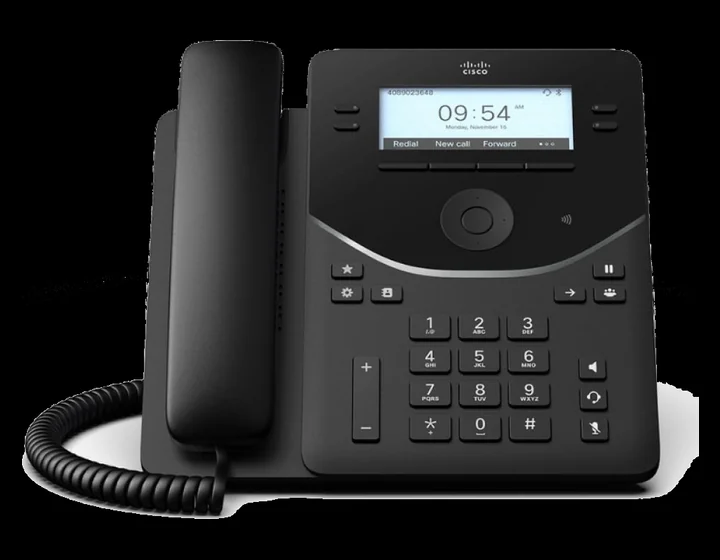
Cisco Desk Phone 9811, front view

Entry / common areas

Cisco 9811

The phone for a corridor, a stockroom or a spare desk. A compact greyscale display, two line keys and nothing to get lost in — on the same platform as every other phone in the building.

  • 2.6-inch greyscale display
  • Two line keys
  • 10/100 Ethernet, PoE class 2
  • RJ-9 headset port
Cisco Desk Phone 9841, front view

Everyday desk

Cisco 9841

The sensible default. A backlit greyscale display, four line keys and a USB port, on gigabit Ethernet so it can sit between the wall socket and the PC without costing you a second network port.

  • 3.5-inch backlit greyscale, 384 x 160
  • Four line keys
  • Gigabit Ethernet with PC pass-through
  • One USB-A port
Cisco Desk Phone 9851, front view

Colour and expansion

Cisco 9851

Colour display, six line keys and USB-C. The first model in the range that takes a key expansion module, so it suits a desk that needs to see more colleagues at a glance.

  • 3.7-inch colour display, 480 x 240
  • Six line keys, up to 46 programmable
  • USB-A and USB-C ports
  • One key expansion module
Cisco Desk Phone 9861, front view

The workhorse

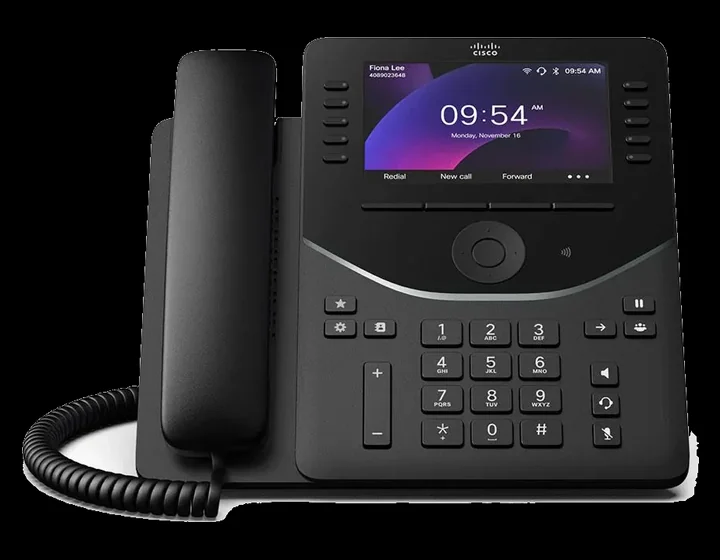
Cisco 9861

A five-inch colour display, ten line keys and both Wi-Fi and Bluetooth built in — so it goes on a desk with no network cable, and pairs a wireless headset without a dongle hanging off the back.

  • 5-inch colour display, 800 x 480
  • Ten line keys, up to 130 programmable
  • Wi-Fi and Bluetooth 5.2
  • Up to three expansion modules
Cisco Desk Phone 9871, front view

Reception and management

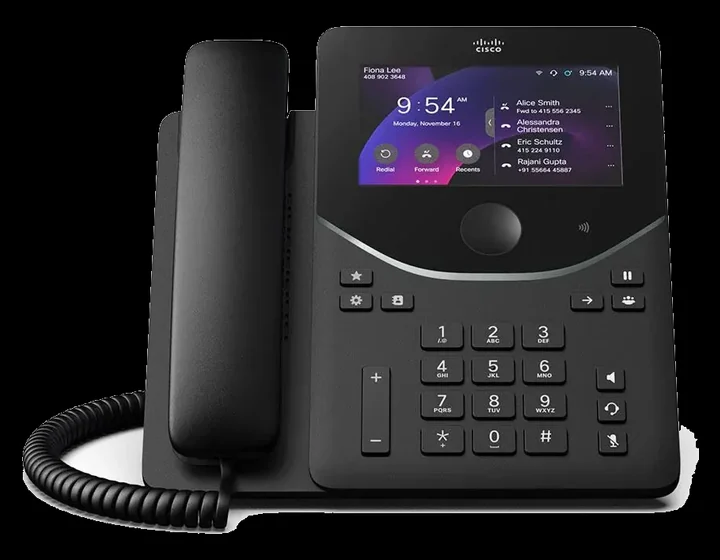
Cisco 9871

The top of the range, and the only touchscreen. A high-resolution touch display replaces the physical line keys, which makes call handling and transfers a matter of tapping the call you mean.

  • 5-inch colour touchscreen, 1280 x 720
  • Up to 128 programmable line keys
  • Wi-Fi and Bluetooth 5.2
  • Up to three expansion modules

Functionality

What the 9800s do
that cheaper phones do not.

Hot Desking

Sign in to any phone in the building and it becomes your extension, with your lines and your call history. Desk reservation works the same way for offices where nobody has a fixed seat. Not available on the 9811.

Wideband HD Audio

A wider frequency range on both the handset and the full-duplex speakerphone. Two people can talk over each other and still be understood, which is what real meetings sound like.

Webex Companion

Pair the phone with your computer and the audio stays on the handset while video and screen sharing run in the Webex desktop app. No model in the 9800 range has a built-in camera, so video comes from the machine already in front of you. Not available on the 9811.

Bluetooth Headsets

On the 9861 and 9871, pair a wireless headset directly — Cisco headsets pair by simply being plugged in once. No dongle hanging off the back of the phone, and no fight over which USB port it lives in.

Key Expansion Modules

Bolt on extra screens of programmable keys for reception and switchboard positions, so busy-lamp status for the whole company is visible at a glance. One module on the 9851, up to three on the 9861 and 9871.

Webex and Hosted Registration

Register to Webex Calling or to a hosted platform, with the same phone. The handset does not need replacing if the platform underneath changes.

Picking a model

Start at the 9841
and move for a reason.

Every 9800 makes and takes calls beautifully. What you are choosing is the extras.

The 9841 is the sensible default. Go up to a 9851 if the desk needs colour and an expansion module, a 9861 if you cannot get a network cable there or want a wireless headset, and a 9871 if a touchscreen will genuinely be used rather than admired. The 9811 exists for the corridor.

Key counts, expansion options and firmware features vary by model revision and region. We confirm the exact specification against the current manufacturer datasheet before anything is ordered, so you never end up with a phone that nearly does what you needed.

Need a touchscreen?

9871 — the only model in the range with one.

No network cable?

9861 or 9871 — both connect over Wi-Fi.

Lots of held calls?

9851 with one expansion module, or 9861 with three.

Cost per desk matters?

9811 for common areas, 9841 for a working desk. Both greyscale, both the same platform underneath.

Side by side

The 9800 range
in one table.

ModelDisplayLine keysWi-Fi & BluetoothUSBExpansion
98112.6-inch greyscaleTwo———
98413.5-inch greyscaleFour—USB-A—
98513.7-inch colourSix, up to 46—USB-A & USB-COne module
98615-inch colourTen, up to 130YesUSB-A & USB-CUp to three
98715-inch colour touchTouch, up to 128YesUSB-A & USB-CUp to three

Every model in the range includes wideband HD audio, a full-duplex speakerphone and Power over Ethernet. Gigabit Ethernet with PC pass-through is on the 9841 and above; the 9811 is 10/100. No model in the 9800 range has a built-in camera.

Next step

Which 9800 belongs
on your desk?

Send us a rough desk count and how your people work. We will come back with a mix, a monthly cost and a straight answer about whether you need the Wi-Fi or touchscreen models.